Pick your vibe
9 built-in themes, any accent colour, and smooth fades when you switch. Try it here: this page uses the same palettes.
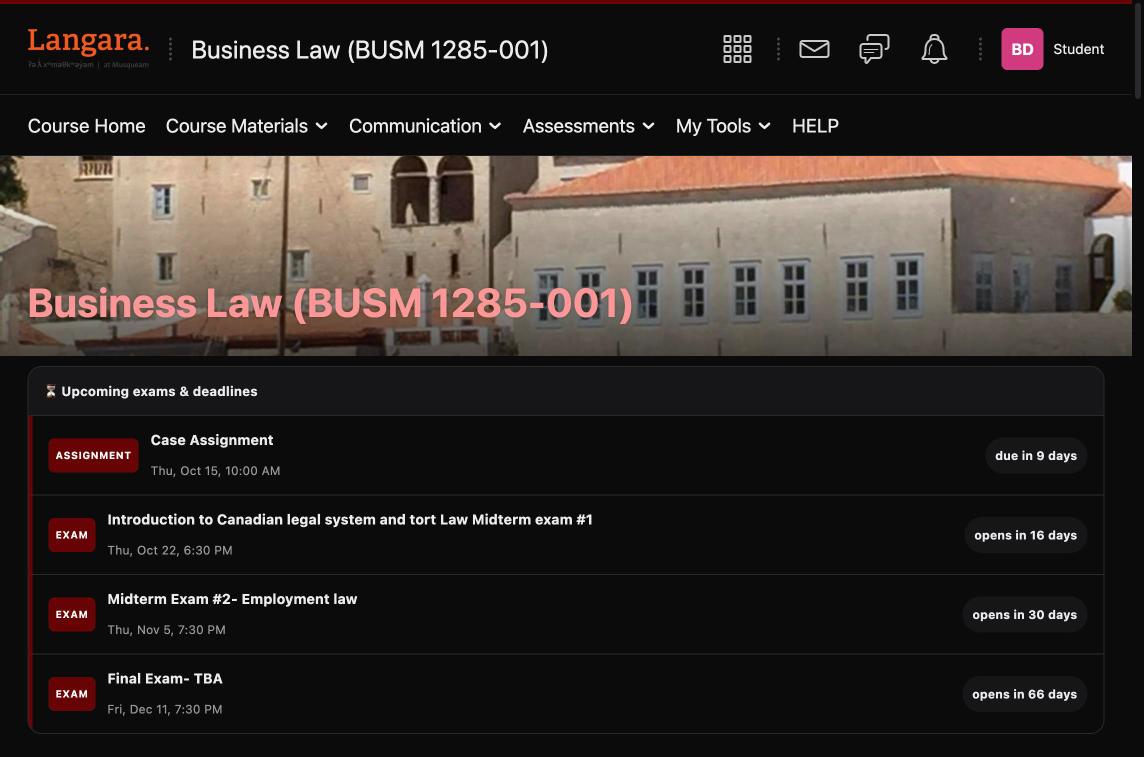
Real dark mode, 9 themes, exam countdowns and custom course cards for Langara's D2L. Like BetterCanvas, for Brightspace.
Chrome, Edge, Brave and Arc · No account · No tracking
BetterD2L upgrades Langara's Brightspace right where you use it, on d2l.langara.bc.ca. You set it up once and never think about it again.
Fixes the stuff other dark modes miss: the audio player, announcements, the calendar and pop-up menus.
"Midterm #1 opens in 16 days." Your quizzes, exams and due dates, pulled straight from D2L. Turns red when it's close.
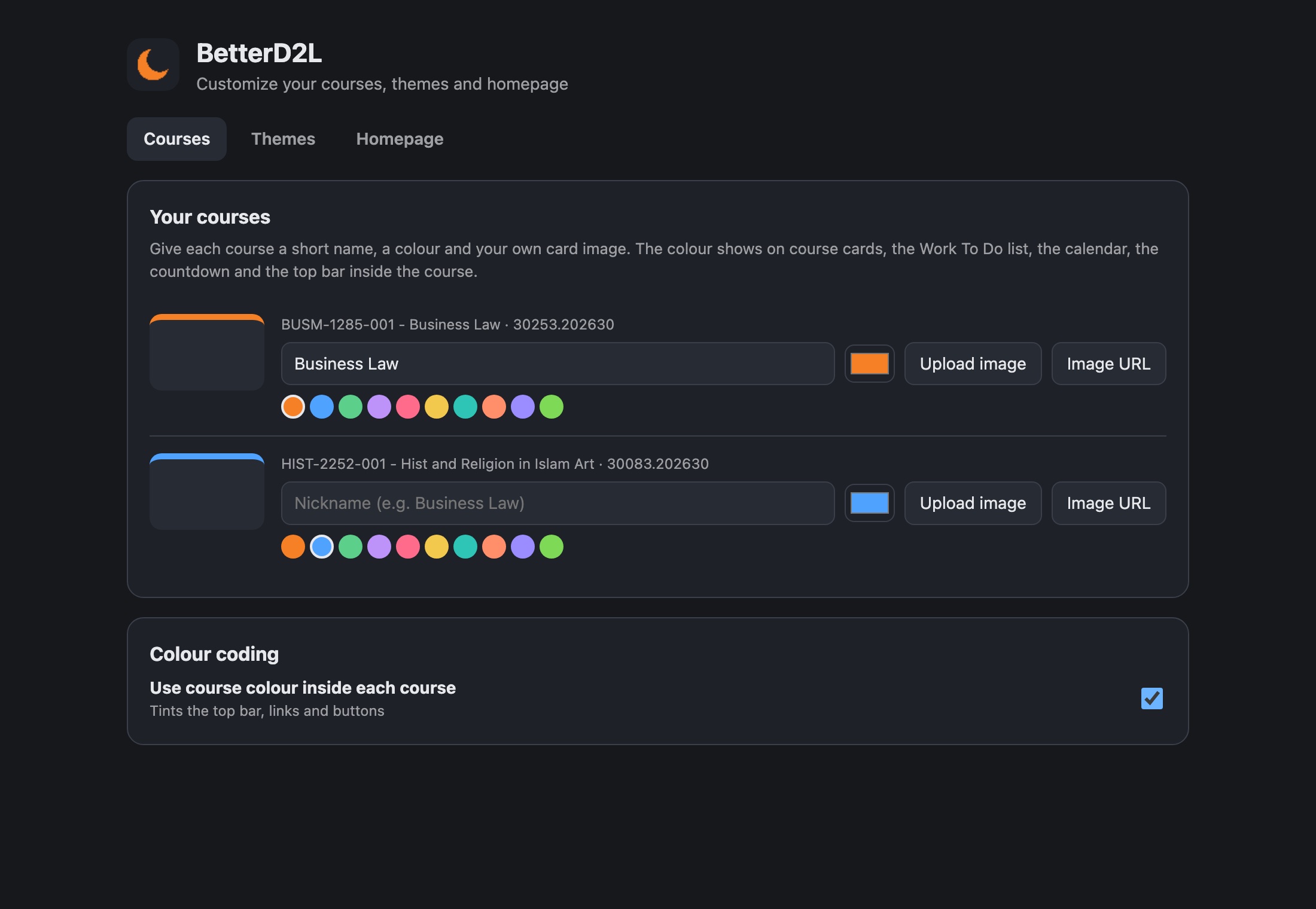
Rename "BUSM-1285-001 - Business Law 30253.202630" to Business Law. Pick a colour, set your own picture.
Each course's colour follows it to the cards, Work To Do, the calendar, and the top bar inside the course.
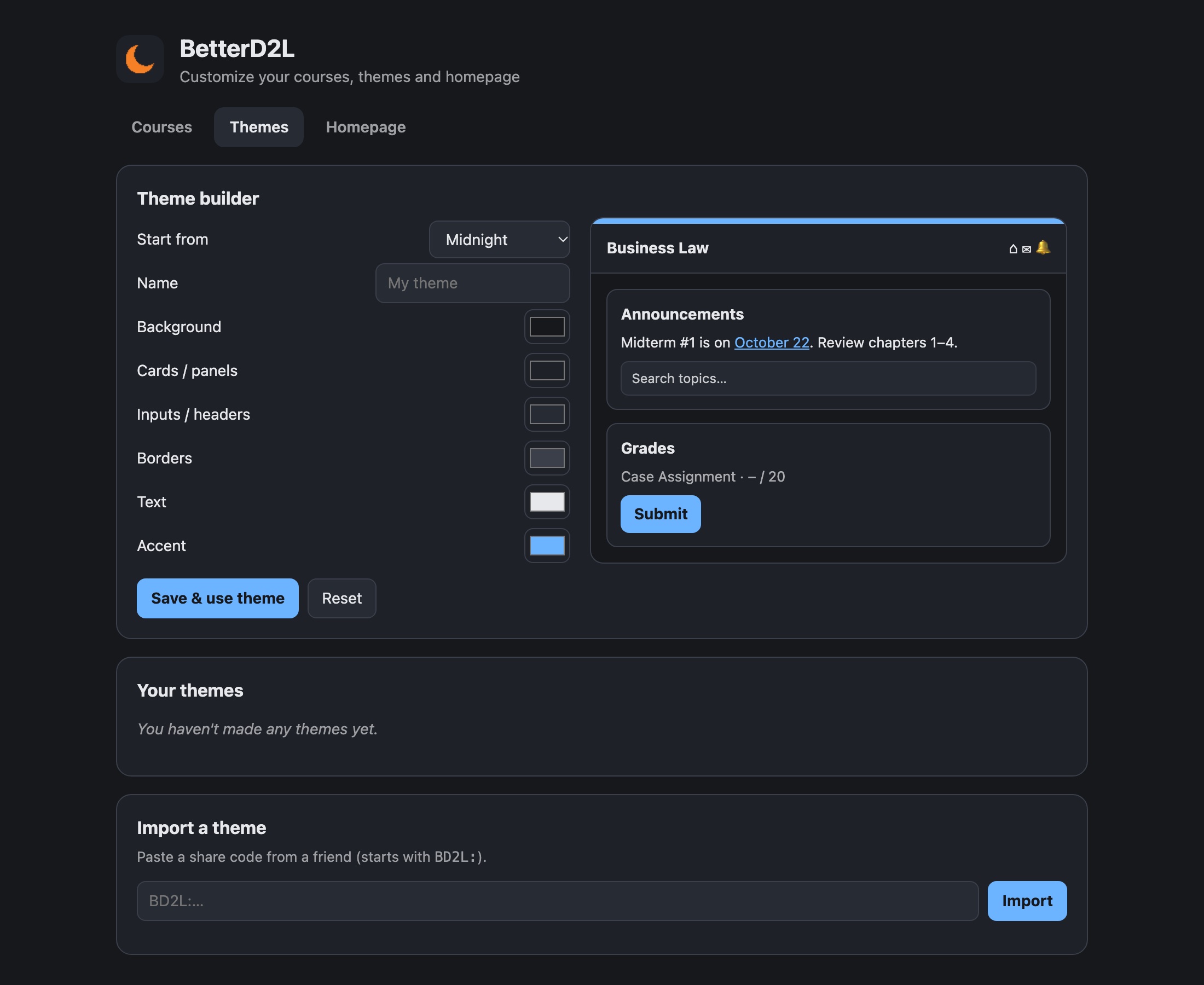
Make your own palette with a live preview, then send friends a BD2L: code to copy your look.
Switch off homepage widgets you never use. Plus fonts, rounded corners, dark PDFs and a schedule.
9 built-in themes, any accent colour, and smooth fades when you switch. Try it here: this page uses the same palettes.
Pick six colours and this whole page previews them live. Then copy your theme code into BetterD2L, or send it to friends.
In BetterD2L: click the moon icon → 🎨 Courses, themes & homepage → Themes → Import a theme, then paste. You can also build themes right inside the extension with the + Create tile.
Midterm #1 opens Thursday, Oct 22. Review chapters 1–4.
Case Assignment · due in 9 days
SubmitBetterD2L isn't on the Chrome Web Store yet, so it loads in developer mode. That's the same extension, just installed by hand.
Grab betterd2l.zip and double-click it to unzip.
Go to chrome://extensions and switch on Developer mode (top right).
Click Load unpacked, pick the betterd2l folder, then open D2L. Done 🌙
Straight from Langara's D2L.
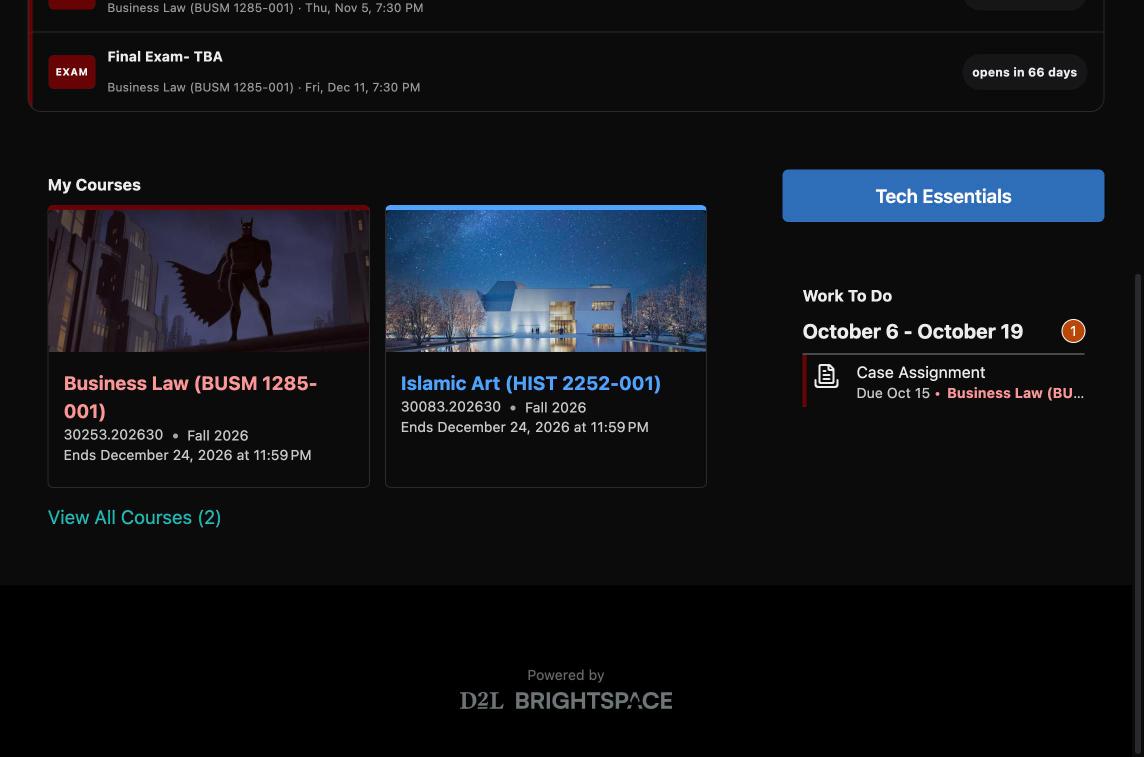
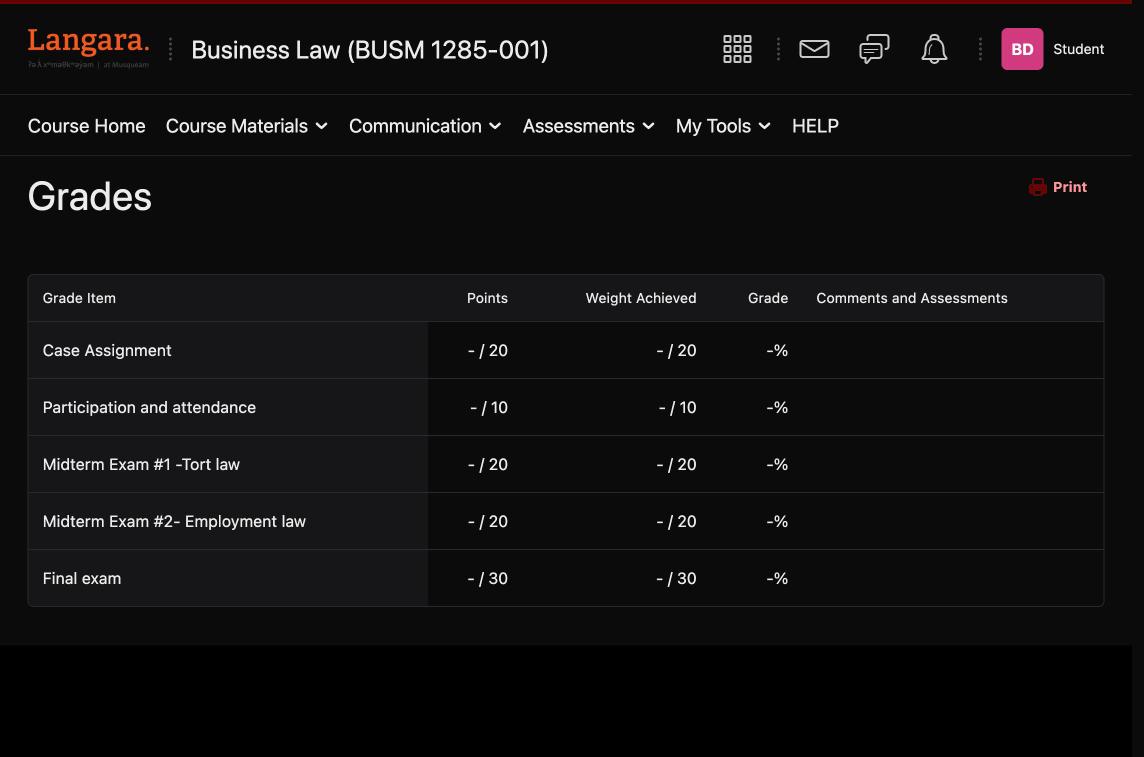
BetterD2L doesn't have servers. Your stuff stays in your browser.
Not built in. Langara's D2L (Brightspace) only comes in a bright white theme. BetterD2L is a free Chrome extension that adds a real dark mode to d2l.langara.bc.ca, along with 9 themes, exam countdowns and custom course cards.
Install BetterD2L: download betterd2l.zip, open chrome://extensions, turn on Developer mode, click Load unpacked and pick the betterd2l folder. The next time you open Langara D2L it's dark. Press Alt+Shift+D to toggle it.
Yes. BetterCanvas is a popular extension for Canvas, and BetterD2L brings the same kind of upgrades to Brightspace (D2L): dark mode, themes, custom course cards, colour coding and deadline countdowns.
Developer mode just means the extension was loaded from a folder instead of the Chrome Web Store. The code is all public on GitHub, so you (or a CS friend) can read every line. It only runs on Langara's D2L and never sends data anywhere.
Yes. It works anywhere Chrome runs, plus Edge, Brave, Arc and Opera. Safari and Firefox aren't supported yet.
No. It only changes how pages look and reads your course dates. It never submits, posts or edits anything. If a page ever looks off, press Alt+Shift+D to turn it off instantly.
Switch to Invert mode in the popup for now, and open an issue saying which page it was.
Download the new zip, replace your betterd2l folder's contents, then hit ↻ on BetterD2L in chrome://extensions. Your settings stay put. See the changelog for what's new.
No. It's an independent student project, not affiliated with Langara College or D2L Corporation.
Free forever. Takes a minute. Works the next time you open D2L.
Add to Chrome, it's free